Canva releases Canva Craft, its first in-house image model
Canva Craft, Canva's first in-house image model, generates 2K images in 30 aspect ratios and turns them into editable layered designs — here's what changes.
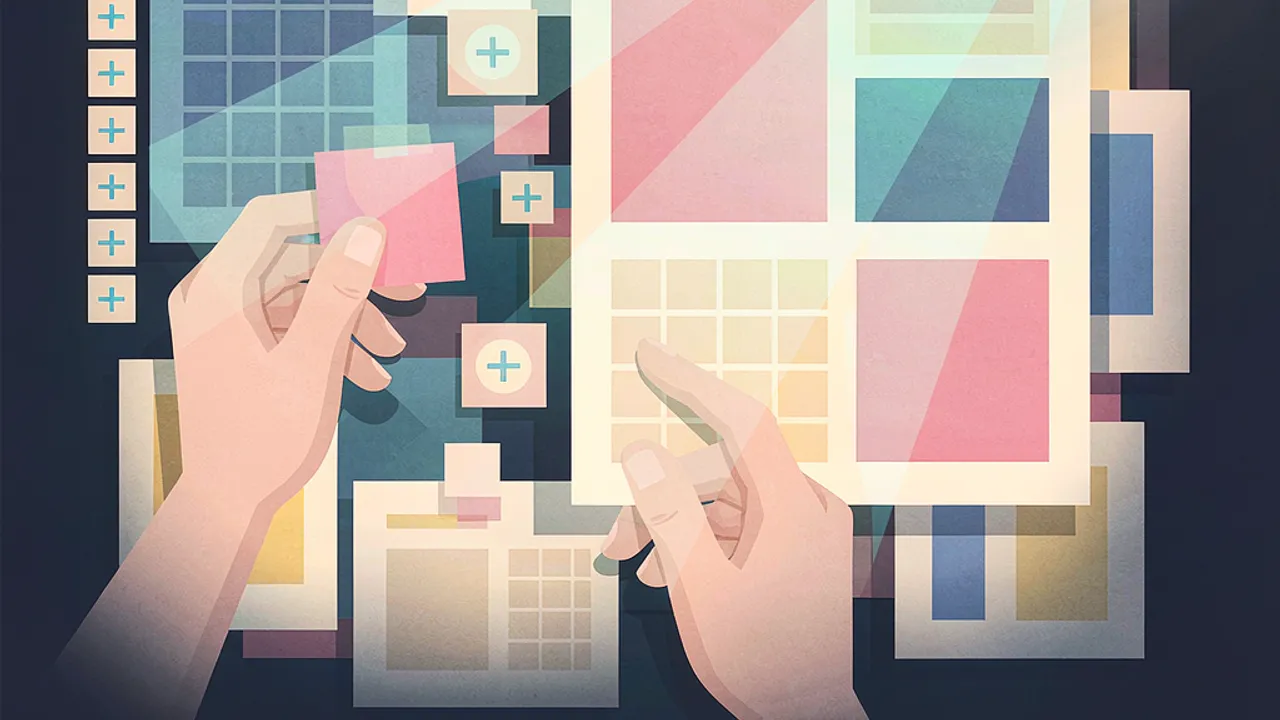
Canva has released its first in-house image generation model, Canva Craft, opening it to every user of the platform and putting it on the Canva API. It matters because the model was trained on design templates rather than photographs, and its output is designed to be turned back into editable, layered layouts — the kind of asset most marketing and product teams actually ship.
What exactly did Canva release?
According to TechCrunch reporter Ivan Mehta, Canva released Canva Craft, developed by its own research team, to compete with image models from Google, OpenAI, ByteDance and Meta. The model is available to all users on Canva's platform through the Dream Lab tab, and the company said it will also be available through the Canva API. Canva additionally plans to support image generation inside third-party chatbots such as ChatGPT and Gemini through its MCP server.
This is the first image generation model Canva has shipped itself. Until now the company has leaned on other providers' models for generation inside its product. TechCrunch's read is that the new models will likely reduce Canva's API costs, and Canva said the in-house approach also gives it better control over quality and speed. The work also carries over from a prior acquisition: Canva bought media generation platform Leonardo.ai in 2024, and the company said Leonardo researchers contributed to the new image model.
How does Canva Craft actually work?
Canva describes a two-stage process. In the first stage the model interprets the prompt and builds a plan, capturing details such as the spatial relationships of elements, their relative scale, visual hierarchy, and the information needed to render text. In the second stage it generates the image, at up to 2K resolution, in as many as 30 different aspect ratios for different platforms.
Canva says that structure is what allows it to produce images with accurate object detail and legible text, and to support precise edits that leave the rest of the image untouched. Those are three separate claims worth separating, because detail accuracy, text legibility and localised editing are different problems — and a model that skips the planning stage often fails at the second and third.
The training data is the more unusual choice. Rather than photographs, Canva trained on human-designed templates from its own library: posters, social posts, presentations, infographics, menus, and typography-heavy layouts.
Why train on designs instead of photographs?
Because the target output is a layout, not a picture. A photo-trained model learns the composition of the world; a template-trained model learns the grammar of a designed artifact — where a headline sits in relation to an image, how much whitespace a social post needs, how type scales down a poster, how an infographic divides into panels.
That choice connects directly to the round trip Canva advertises. Images generated with Craft can be converted into layered designs using Canva Magic, the company's image-to-design transformer, and Canva released a model that understands designs and layers last year. So the pitch is not only that Craft generates a poster, but that the poster arrives as something you can still edit: swap the headline, move the photo, restyle one panel, and export the same file at the sizes each channel needs.
For teams that have spent years fighting generic AI output — wrong type, wrong hierarchy, wrong crop for the channel — that is a more interesting proposition than another photorealism benchmark.
What about speed, cost, and what comes next?
Canva said it is developing two cost-efficient versions of the model, Craftfast and Craft-ultrafast, which it plans to release soon. The report gives no pricing, latency figures, or benchmark comparisons against competing models, so the speed and cost claims remain the company's own for now.
The business backdrop gives the release some urgency. Canva was on track for $4 billion in revenue last year, but it cut its growth forecast for 2026, and its valuation reportedly fell from $42 billion to $35 billion according to external analysts, as TechCrunch reported. Bringing generation in-house is a plausible way to protect margins on a product whose users generate at volume.
How can you explore this kind of workflow in Grafy?
Grafy does not host Canva Craft, and it would be wrong to imply otherwise. But the workflow the release points at — prompt, compare, iterate, keep the branches, ship a usable asset — maps onto tools that do exist.
Grafy Creator generates images and video from a prompt or a photo, so you can test a layout idea the same way you would in Dream Lab. Grafy Chat lets you put the same brief to many cloud models side by side, which is the practical way to check whether a template-trained layout model is genuinely better for your use case than a general-purpose one. Graph keeps a branching record of prompts, outputs and edits, so a variant that worked stays reachable instead of being overwritten by the next prompt. For the editing stage, the guide on editing one image with several visual references covers the reference-driven iteration that Canva's layered output is meant to make easier. Grafy's Reader app is the place to pull research papers and specs into a question-answering workflow if you want the wider design context rather than the model itself.
Frequently asked questions
What is Canva Craft and how does it differ from Canva's earlier models?
Canva Craft is Canva's first image generation model built by its own research team, released to all users through the Dream Lab tab and set for the Canva API. It plans before it renders: a first stage interprets the prompt and works out spatial relationships, relative scale, visual hierarchy and text requirements, then a second stage produces an image of up to 2K resolution in as many as 30 aspect ratios. Canva also says Craft output can be converted into layered designs using Canva Magic.
Can I use Canva Craft inside Grafy?
No. Grafy does not host Canva Craft, and nothing in this report changes that. What transfers is the workflow rather than the model: use Grafy Creator to generate an image or video from a prompt or a photo, put the same brief to several models side by side in Grafy Chat, and keep the variants worth revisiting in Graph. Grafy runs many cloud image models, so comparing outputs is straightforward.
What are Craftfast and Craft-ultrafast, and when do they arrive?
Craftfast and Craft-ultrafast are two cost-efficient versions of Canva Craft that the company says it is developing and plans to release soon. The report gives no release dates, pricing or benchmarks, so it is not possible to say when they will ship or what they will cost. Canva also said it plans to expose image generation to third-party chatbots such as ChatGPT and Gemini through its MCP server.
Source: TechCrunch — Canva releases its first image generation model, Ivan Mehta, October 22, 2026.
Source: TechCrunch — AI — Canva releases its first image generation model
More news

Black Forest Labs Launches FLUX 3 Image Klein, a 5.6B Open Model
Black Forest Labs released FLUX 3 Image Klein, a 5.6B-parameter open-weights model that leads benchmarks in text-to-image and editing.

DeepSeek Releases V4.1-Flash-1017, Boosts Agent and Vision Benchmarks
DeepSeek AI has released a minor update to its V4.1-Flash model, delivering substantial improvements in reasoning.

Meta releases Muse Spark Open, an 816B-parameter open-weight AI for code and media
Meta has released Muse Spark Open, an open-weight 816-billion-parameter multimodal model optimized for long-context coding and agentic tasks.