Music Studio — compose it, then let it sing
Open Music Studio →Music Studio is on the Max plan. "Free" below means it runs in your browser and costs no credits — not that it is on the Free plan.
Two sides of one track. The pattern side is a free studio in the browser: a step sequencer, a piano roll, sections, a mixer and a deterministic WAV export — nothing renders in the cloud, and even the AI Composer writes notes you can open and edit, never audio you can't. The generated side is the other road: a hosted song model sings your karaoke sheet into a finished track, remixes any clip into a new style, and paints cover art. Both sides read the same document, so a song can start generated and end hand-finished — or the other way round.
Walkthrough: from one sentence to a song
Describe the track — every direction is read
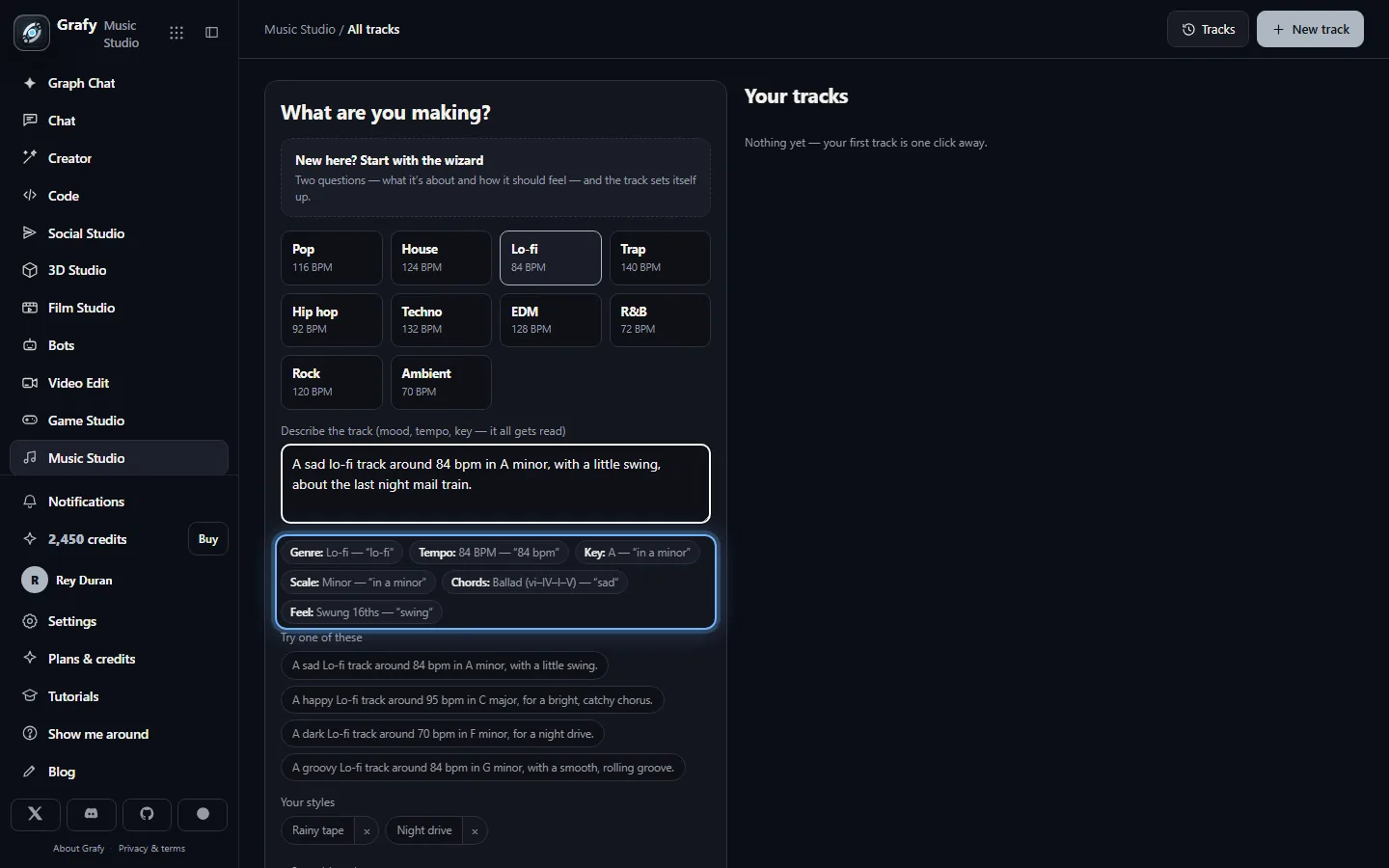
Pick a genre and write the song the way you would say it out loud: "a sad lo-fi track around 84 bpm in A minor, with a little swing". The reader is deterministic and free — as you type, chips light up under the box showing exactly which words set the tempo, the key, the chords and the feel, so nothing is guessed and nothing is silent. Your saved styles sit underneath as chips: one click refills the brief with a style you liked last week.
New here? Two questions
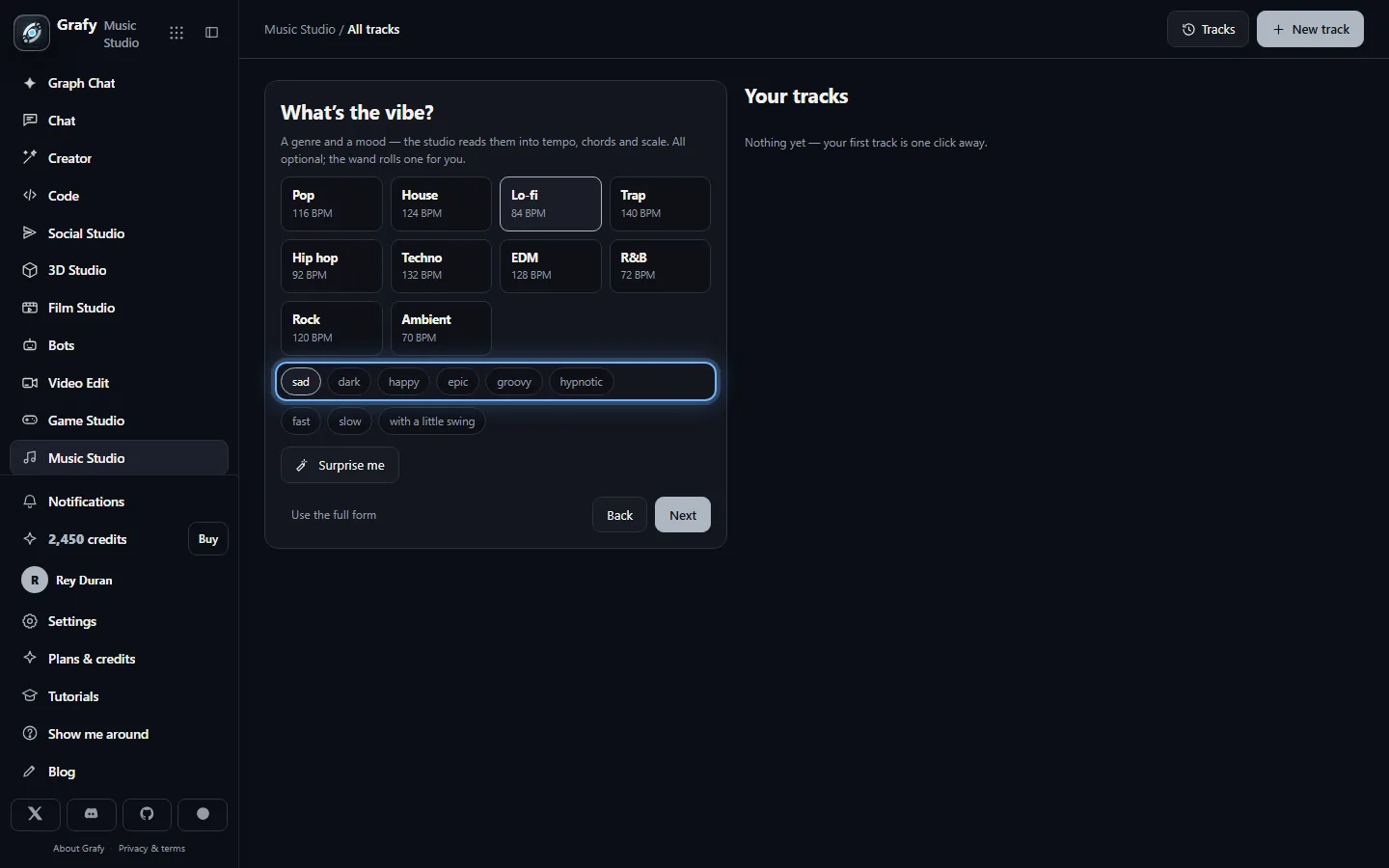
The wizard asks what the track is about and how it should feel — subject chips, then genre, mood and feel chips with a wand that rolls a combination for you. It composes the same kind of brief the full form takes, shows you the readings before anything is created, and the full form stays one click away the whole time.
Every track starts playable
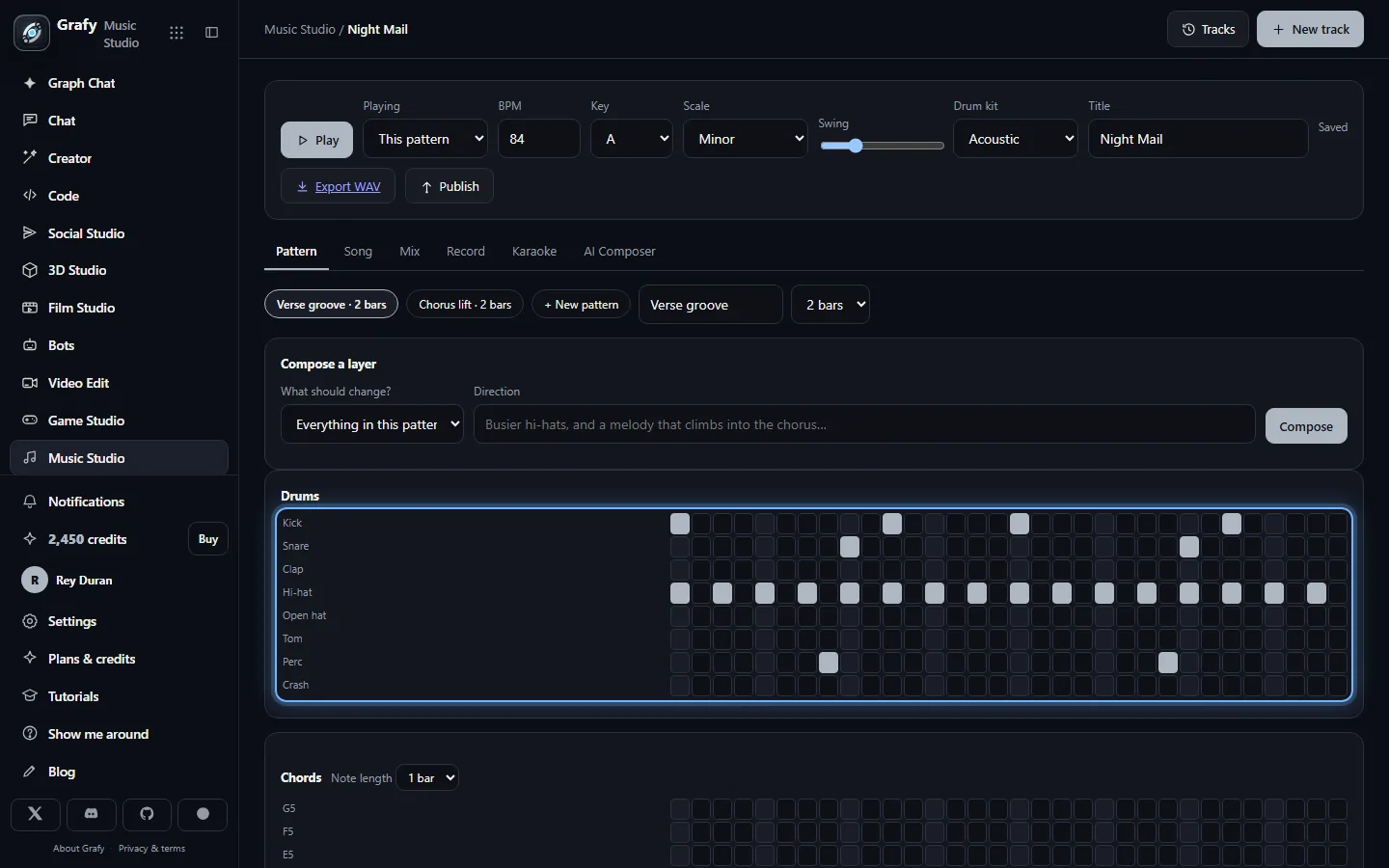
A new track arrives with a drum loop, chords, a bass line that follows the roots and a melody hook — arranged intro → verse → chorus. The step sequencer and piano roll are where you shape it, and playback is Web Audio in the page: free, instant, and Space toggles it while you work. The AI Composer on this side writes pattern data into these same grids — you can see, edit or delete every note it suggests.
Arrange in sections
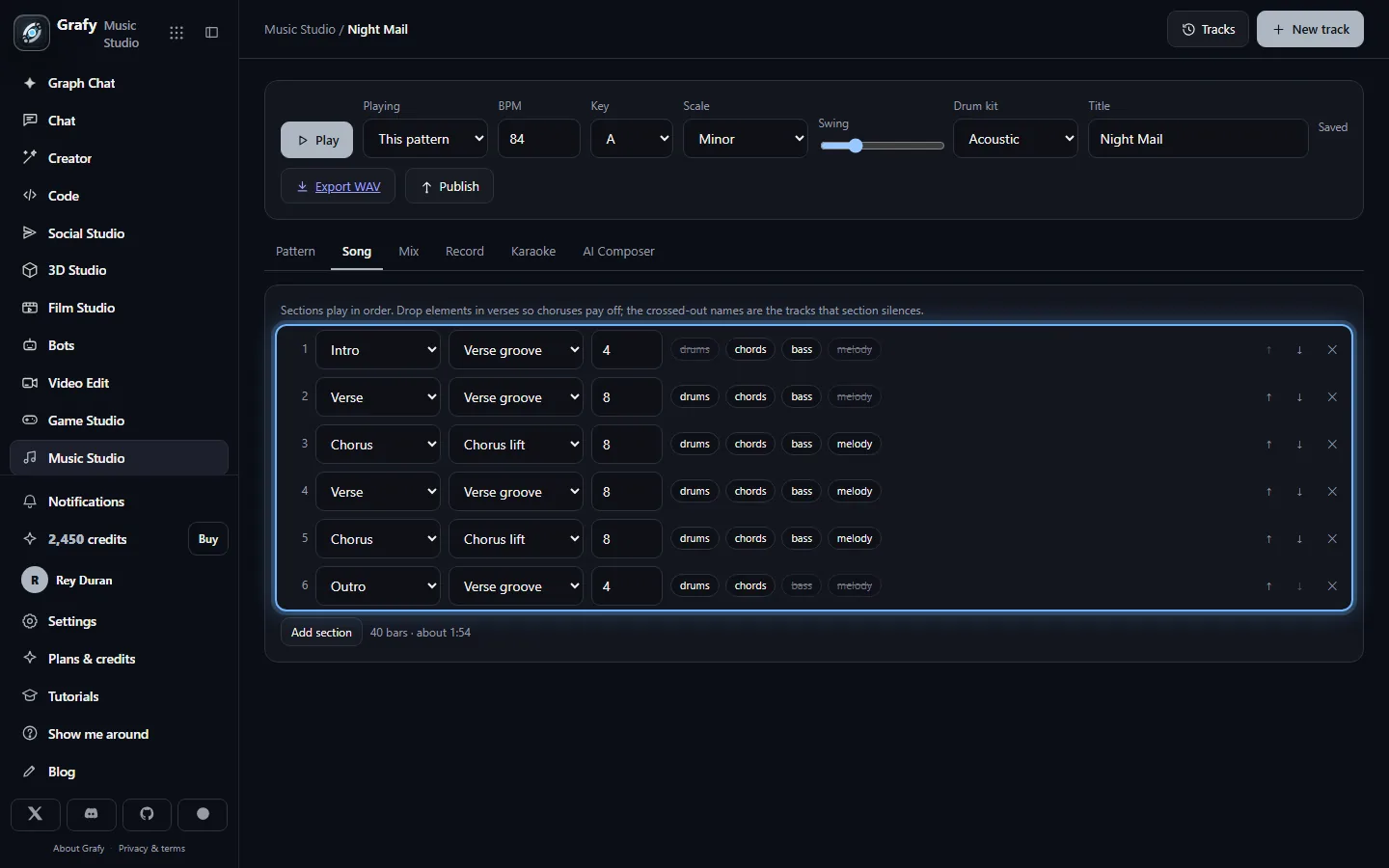
Intro, verse, chorus, bridge, drop, outro. Sections are what you move, repeat and resize, and each can drop instruments — the intro without drums, the outro without the melody — which is how a two-pattern song still breathes like an arrangement.
Words, timed to the song
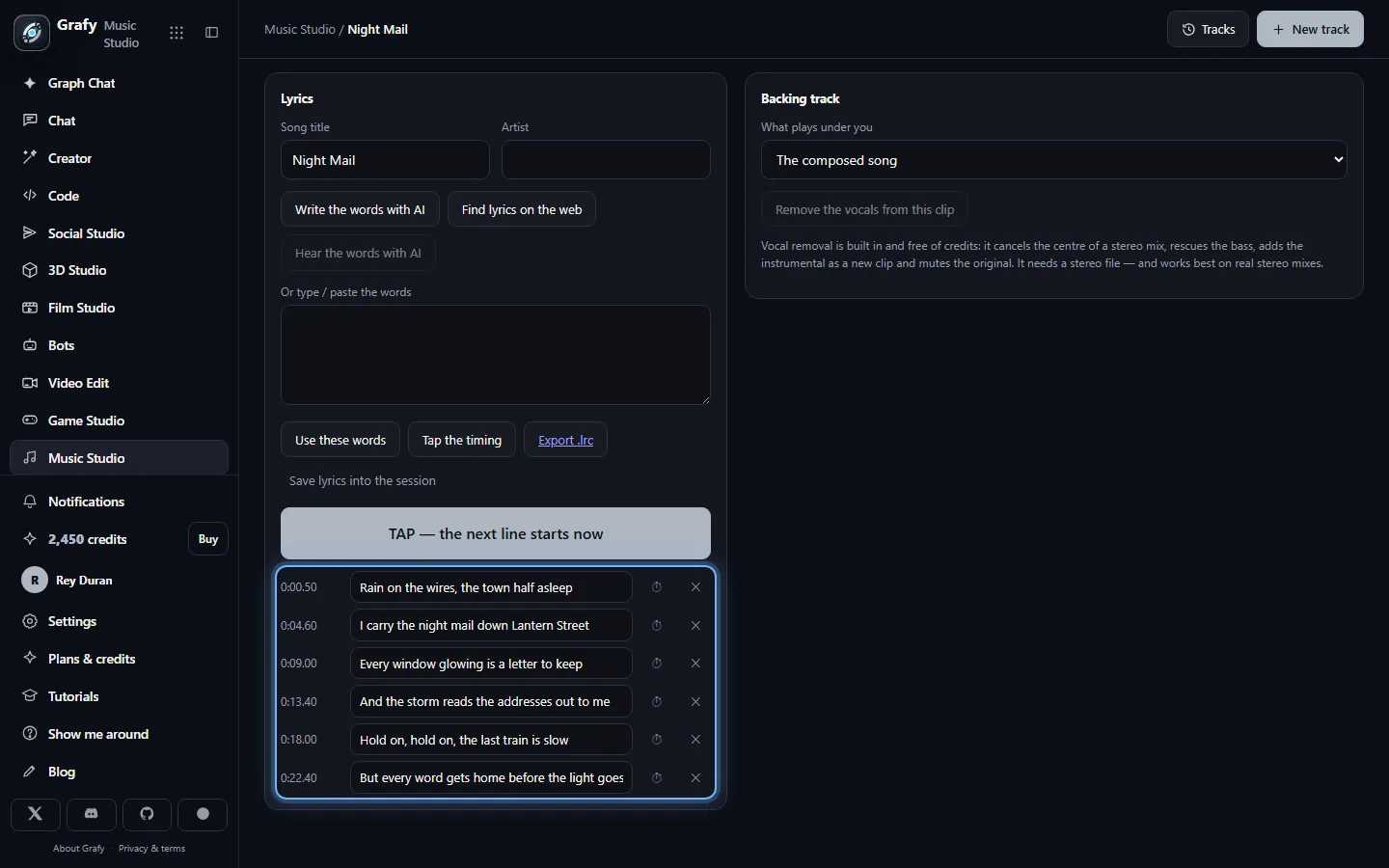
Type lyrics, fetch them from the web, transcribe them from a clip —
or ask the AI to write an original lyric from your brief. Tap the
timing once and the sheet scrolls karaoke-style, exports as
.lrc, and doubles as the text the sung render will sing.
Vocal removal is built in and free: point it at a stereo clip and sing
over the instrumental it rescues.
The generated side
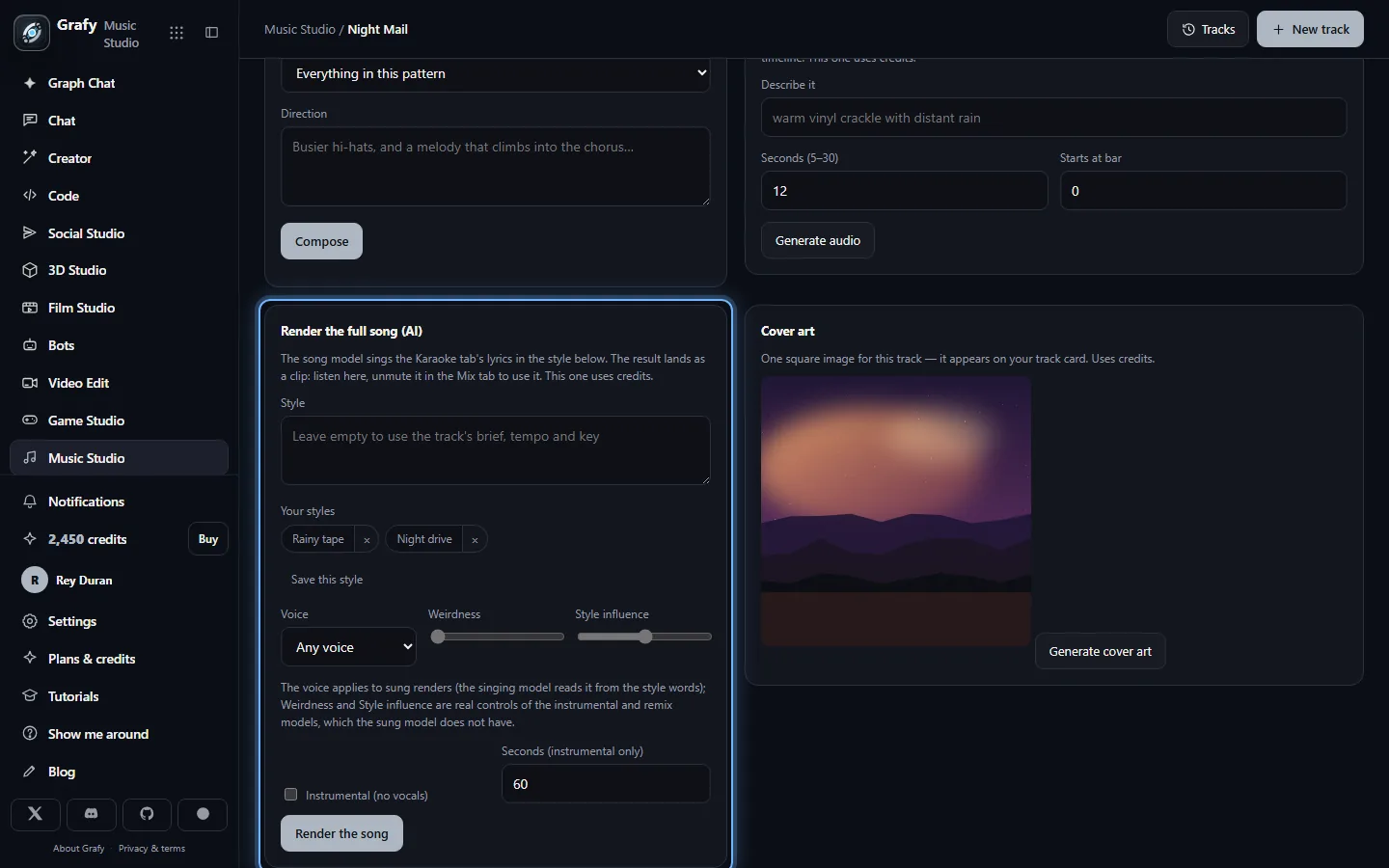
Render the full song hands your karaoke sheet and a style — typed, saved, or composed from the brief — to a hosted song model that sings it. Remix a clip re-renders any clip the track owns (an upload, a take, an earlier render) in a new style. Cover art paints one square image for the track card. Every paid render lands as a muted clip with its own player, so it never doubles your arrangement and is never inaudible.
Two sides of one document
The whole track is one document: tempo, key, patterns, mixer, arrangement, clips and lyrics. The pattern side edits it by hand; the AI Composer edits it with suggestions that are always notes, passed through the same limits as your own clicks — the model writes pattern data, never audio and never code. That inversion is the point: nothing on the free side is opaque, everything can be opened in the piano roll.
The generated side deliberately reads the same document. The song model sings the karaoke sheet's lines — every way words enter the track lands in that one sheet, so the sung render can never disagree with what the karaoke view shows — and takes its style from the same brief and transport the pattern studio reads. Change the words, render again; render first, then hand-finish the patterns underneath. Neither side owns the song.
What is free stays free. The sequencer, the composer's offline fallback, playback, karaoke, vocal removal and the WAV export cost nothing and never will. Credits are spent only on the generated side — the full-song render, the remix, the cover, the audio beds — and each of those says so on its card before you click.
A brief that is read, not guessed
The reader is plain string matching, not a model call — which is why it can run on every keystroke, why it costs nothing, and why it is testable. It knows genres by the words people reach for ("study beats" is lo-fi, "four on the floor" is house), moods that commit a harmony ("sad" leans the chords into a ballad in a minor key), tempo words judged per genre ("fast house" and "fast lo-fi" are different numbers), explicit BPM and key signatures, and swing.
Two rules keep it honest. Nothing is silent: every field the brief sets shows a chip naming the words it was read from. And an explicit value always wins: whatever you set on the form beats whatever the sentence implies — the same precedence the wizard uses when you pick a mood chip and your topic happens to mention rain.
Saved styles make the words reusable: keep a brief you liked under a name, and it appears as a chip on the new-track form and next to the paid style fields alike — one library, because both sides speak the same language.
The sung render and its knobs
The full-song card renders a produced track with sung vocals from your lyric sheet, or an instrumental at a length you choose when there are no words. One click is one take with one visible price — no silent double-takes. The result arrives as a muted clip beside your arrangement: listen in place, unmute it in the Mix tab to make it the track.
The knobs follow an unusual rule for this kind of product: only what the model actually honours is on the screen. The sung model's one conditioning channel is words, so Voice (any / female / male) travels as words in the style. The instrumental and remix models expose real guidance controls, so Weirdness and Style influence are live exactly there — and disabled, with a note saying why, where the model behind the road has no such parameters. A slider that silently did nothing would be worse than no slider.
Remix is the same honesty applied to audio: any clip the track owns — an upload, a mic take, a bed, an earlier render — re-rendered toward a new style, landing muted beside the original at the same bar so A/B is one mute toggle.
Karaoke, lyrics and vocal removal
The lyric sheet is the single source of truth for words. Fetch lyrics
from the web, transcribe them from any clip with AI, type them, or have
the AI write an original from your brief and theme — structure tags like
[Chorus] are stripped from the sheet (nobody sings a stage
direction) but kept for the song model, which reads them as arrangement
hints.
Tap the timing once — each tap marks where the next line starts — and
you get a scrolling karaoke view, a nudge control for offset, and an
.lrc export that works in any player that reads one.
Vocal removal is free. It cancels the centre of a stereo mix, rescues the bass, adds the instrumental as a new clip and mutes the original. It needs a real stereo file — and the page says so instead of pretending mono would work.
Publish, remix and the community shelf
Publish, in the transport bar, renders your arrangement and puts a snapshot on the community shelf: the audio plus the editable score. Later edits change nothing publicly until you republish, and unpublish takes it back any time. Your session clips — uploads, takes, renders — never travel.
On the shelf, tracks play in a persistent player with a queue, shuffle and repeat; listeners can save tracks into private playlists; play counts are anonymous where likes need an account. And Remix on a published track hands its score to your Music Studio as a brand-new project — patterns, arrangement, mixer and lyrics, never the publisher's recordings. A remixer starts from the same score, not the same audio, which is exactly what a cover is.
Scoring the other studios
The Game Studio and Film Studio can commission a score from here: the commission arrives as a bar over your workspace with the target length, and Use it as the score renders your arrangement to fit and hands it back — free, like every deterministic render on this side. One account, one asset library, and the studios pass work between themselves instead of making you export and re-upload.
What you take away
A WAV export of the whole arrangement with a light master
chain — free, always, and deliberately stronger than the plan-gated
downloads this category of product usually ships. An .lrc
of your timed lyrics. Cover art on the track card. A published page on
the community shelf when you choose to share, with a travelling score
that invites covers. And a document you can keep editing after all of
it, because nothing here flattens your track into a file until you ask
it to.