Game Studio — a playable game from one brief
Open Game Studio →Describe a game in a paragraph and the studio plans it in stages: a pitch and design document, a cast with reference sheets, level layouts the built-in engines can play, key art, game-ready sprites — or, for a 3D game, real 3D models lifted from each character's turnaround — and a music loop. The last stage assembles it all into one self-contained playable HTML file you can play in the browser, download, or hand to anyone with a link.
Walkthrough: brief to playable build
Say what the game is
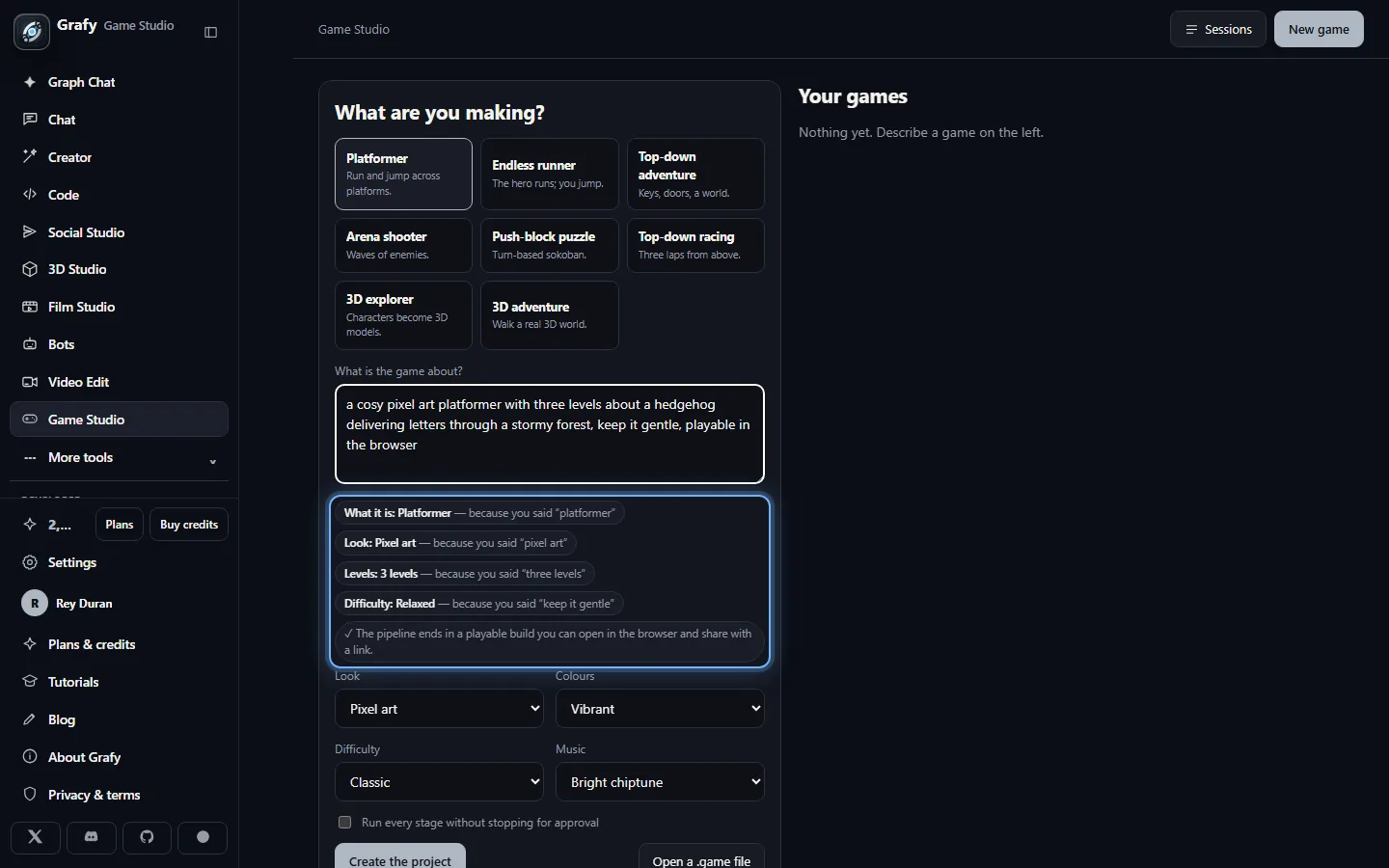
Pick a genre and write the brief the way you would say it out loud: "a cosy pixel platformer with five levels about a hedgehog delivering letters, chiptune music, keep it easy." Every direction in it — the genre, the look, the level count, the difficulty, the music — is read deterministically and shown back to you beside the control it filled, before anything is spent.
Plan the concept
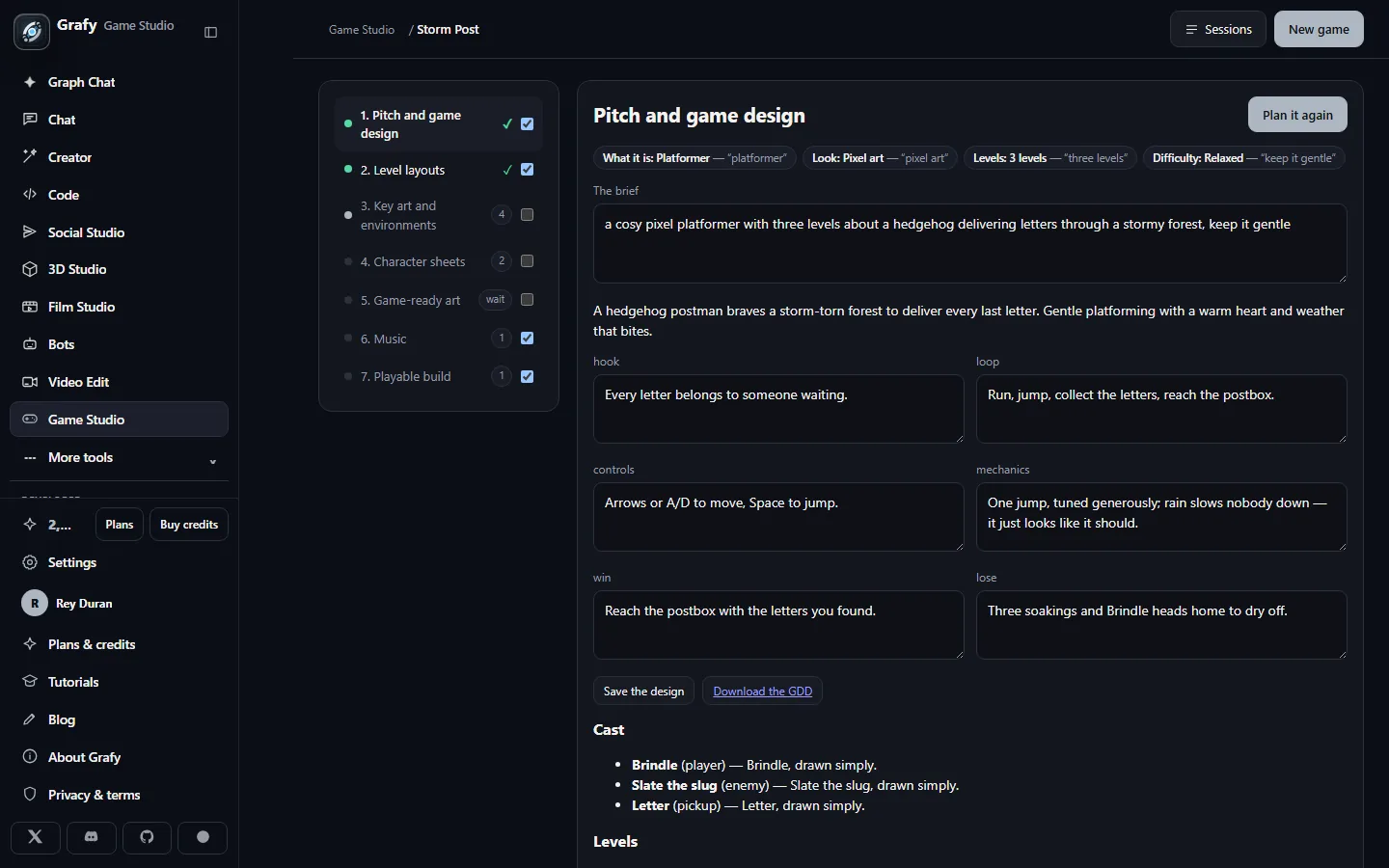
One planning call turns the brief into a pitch, a design document (hook, loop, controls, win and lose), a cast of entities with runnable behaviours, and a level list. Everything is editable, and the GDD downloads as a markdown file.
Design the cast
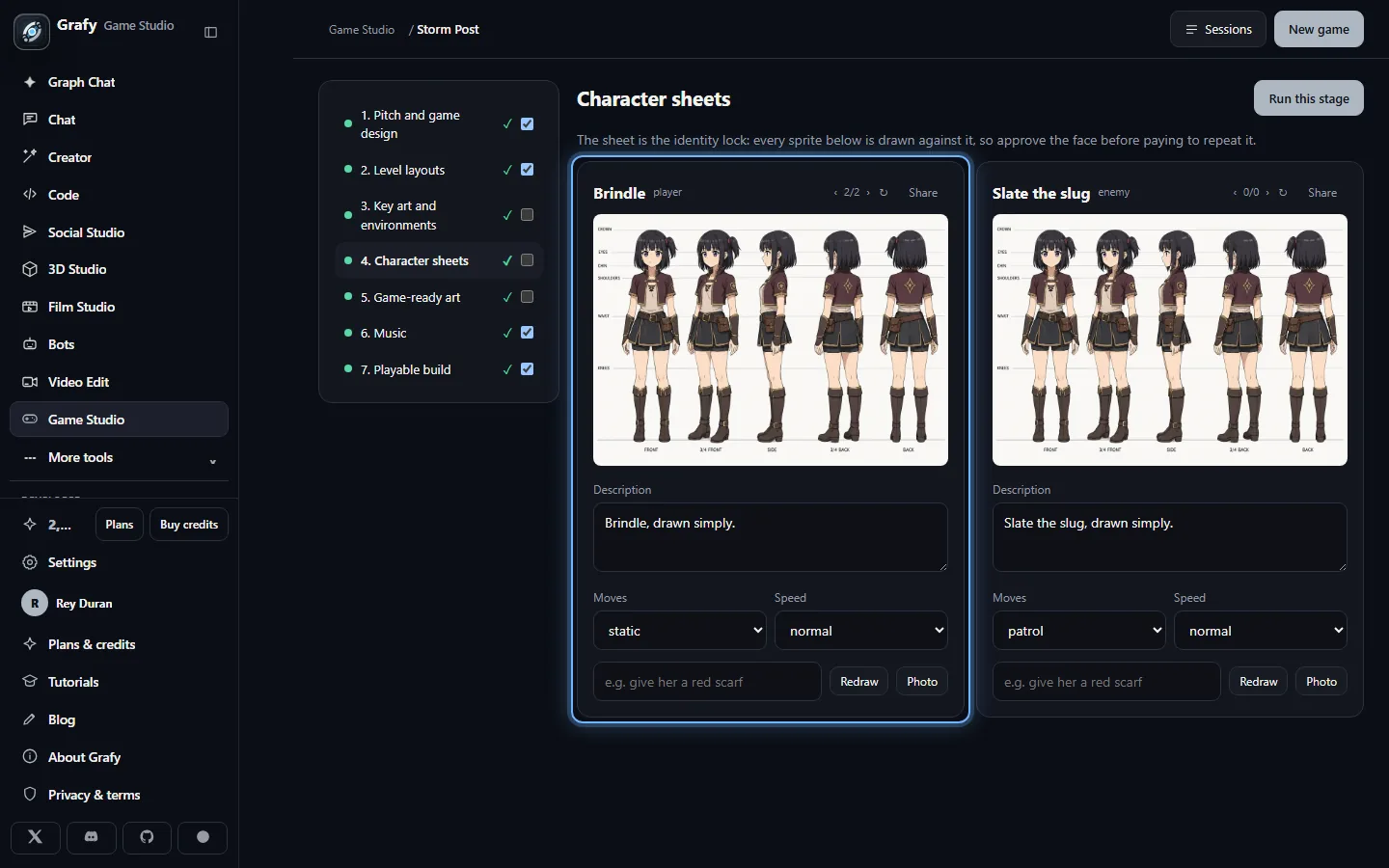
Every character gets a reference sheet — action poses for a 2D game, an orthographic T-pose turnaround for a 3D one. Redraw a single sheet with an instruction ("give her a red scarf") or design from your own photo. The approved sheet is fed back into every piece of art that character appears in, so the hero on level five is the hero you approved on level one.
Paint the environments
Key art for the game, a concept painting for every level — and the materials each level is built from: a seamless tile per surface the engine fills, the ground and the ledges of a side-scroller, the walls of a top-down map. The material is read from the level's own theme (a frozen lake gets ice; a flooded harbour gets water) and you can pick another beside the tile it paints. The engine repeats these over the solids it used to fill with a flat colour, in the playable build and in the Godot and Unity exports alike.
Lay out the levels
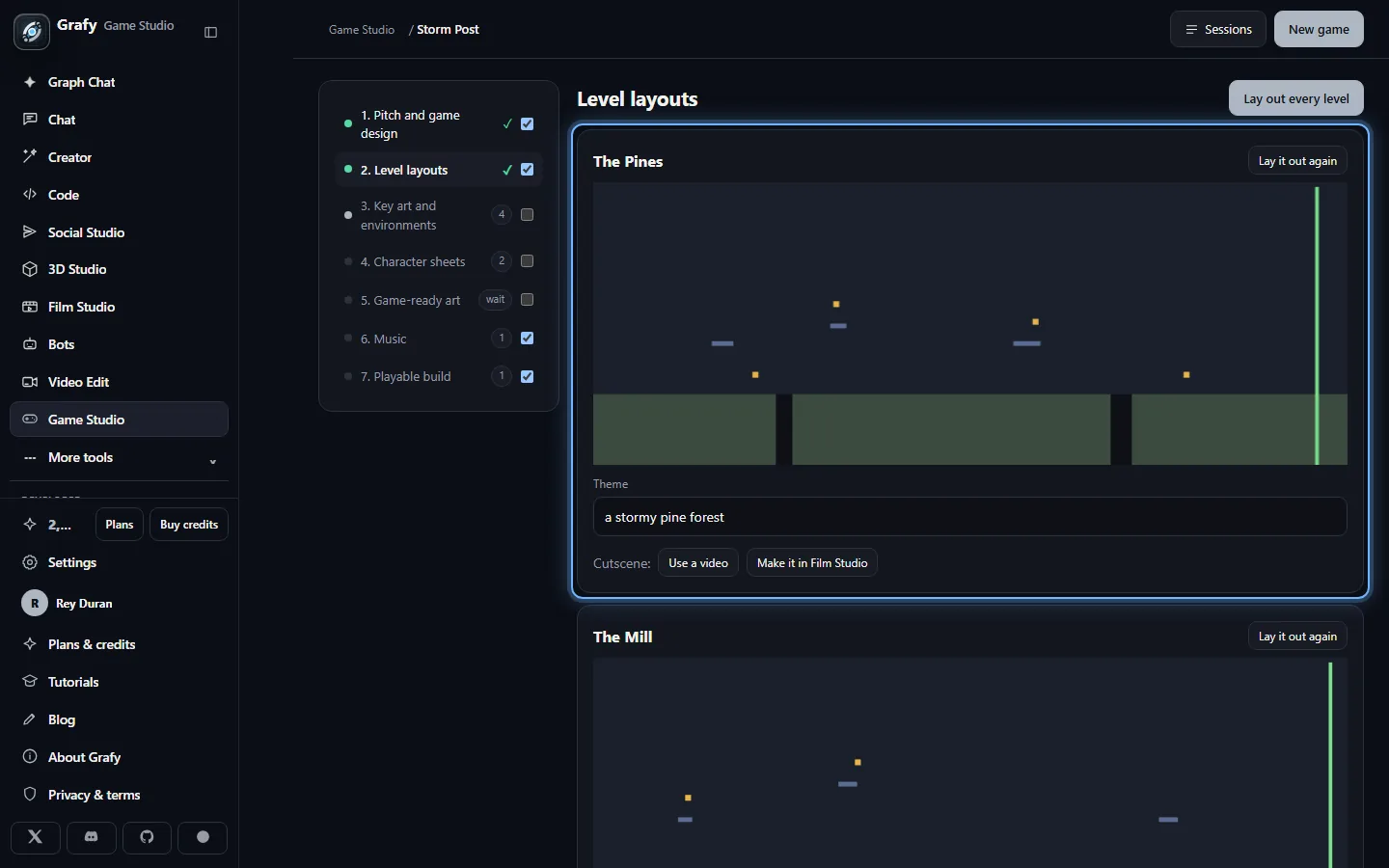
The model writes data, never code: each level's layout is JSON against the engine's own schema, validated until it is always playable — a start, a goal, jumpable gaps, solvable puzzles. It comes after the environment so the planner knows what it is laying out — the materials go into the brief it plans from. A free mini-map preview draws each layout before any art exists.
Render the game art
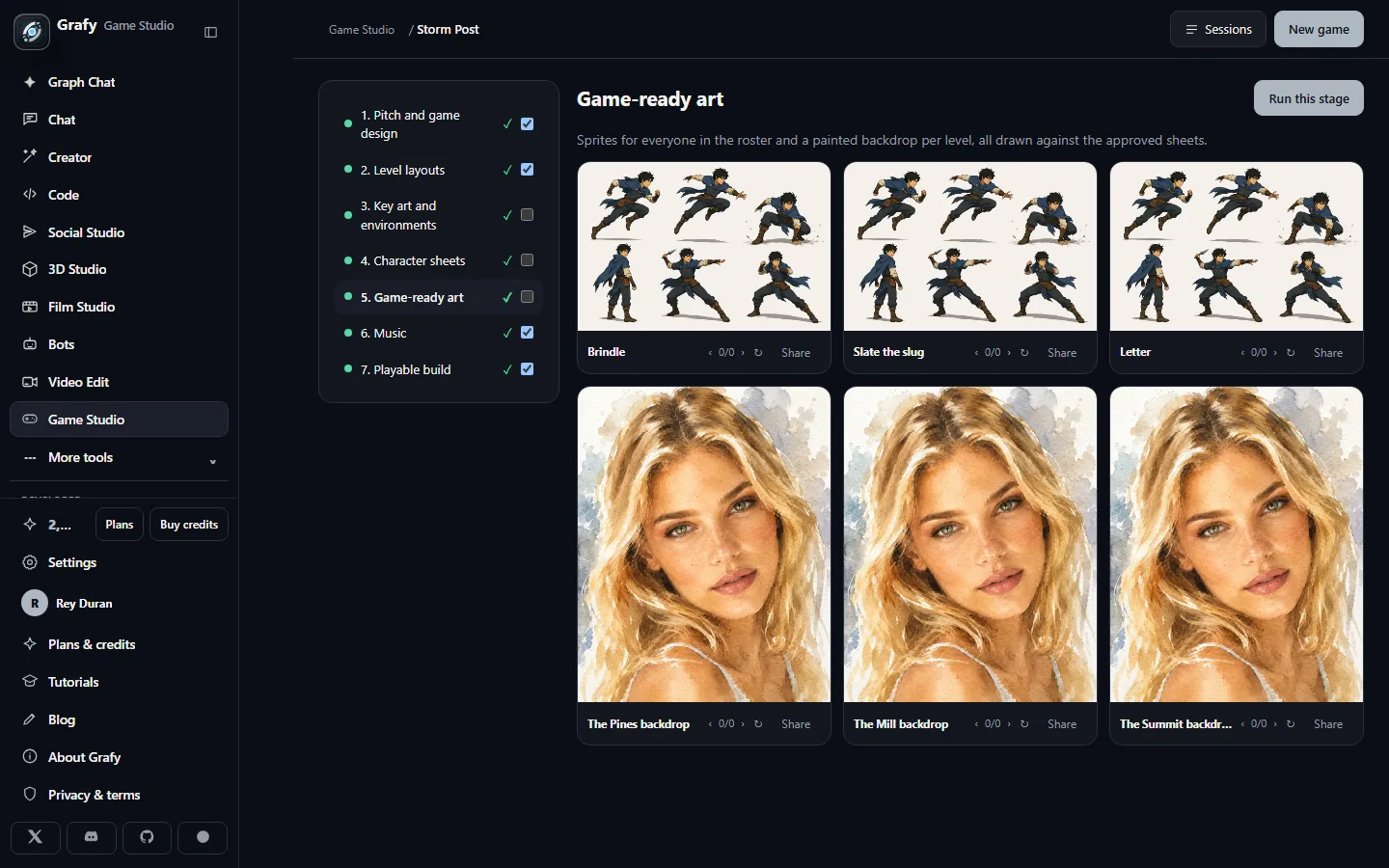
2D games get a sprite per entity — characters carry a two-frame walk cycle, drawn as a second pose from the first frame so the character never changes mid-step — and a painted backdrop per level. 3D games run each sheet through image→3D and a game-ready remesh, producing a real GLB per character. Every render keeps its earlier takes — page back with ‹ › or render another with ↻.
Build and play
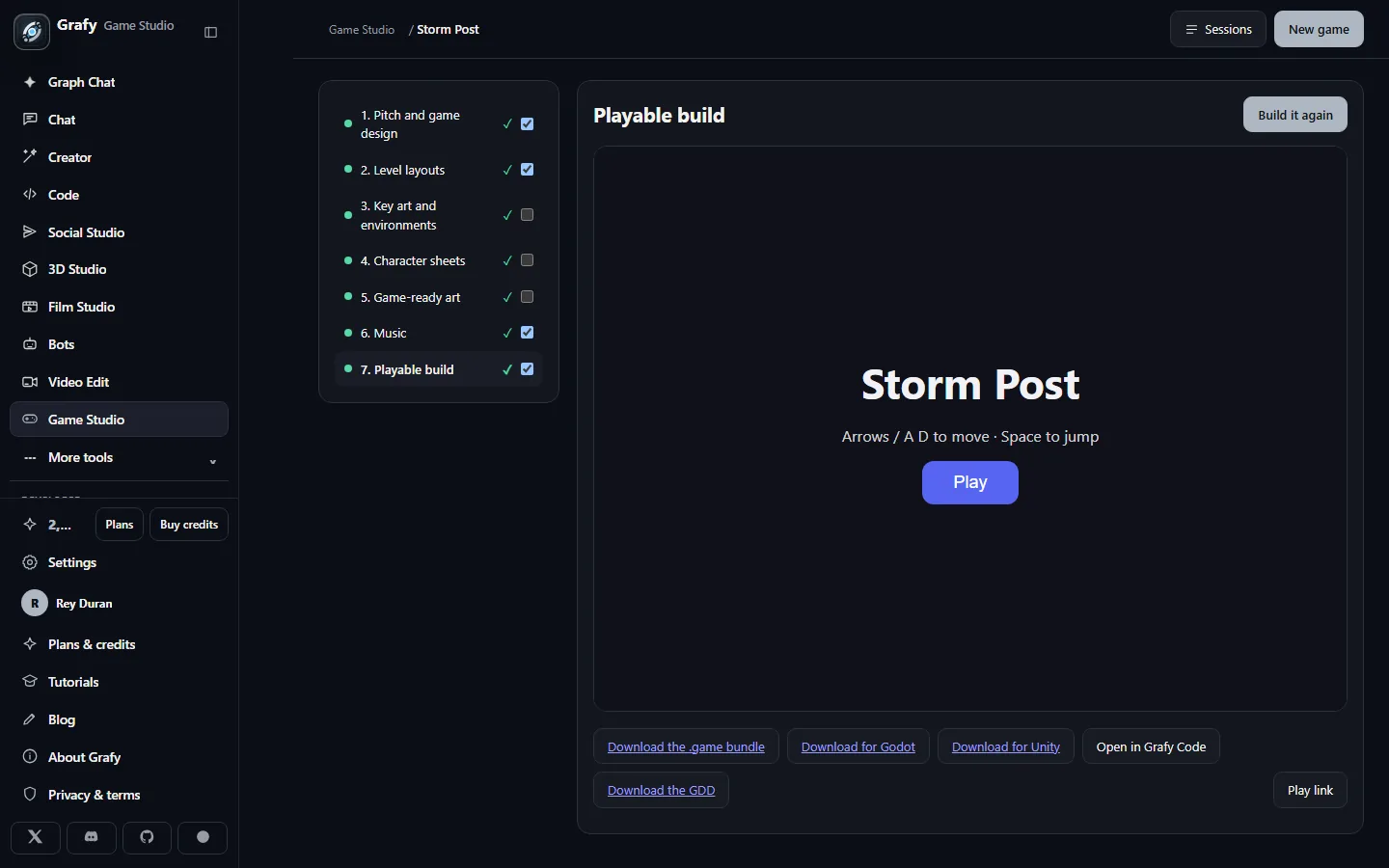
The build stage is free: the checked-in engine, the validated layouts and the art are assembled into one HTML file with everything inlined. Play it right in the workspace, download it, or export the whole project as a .game bundle — design, art and build in one archive that re-opens as a project anywhere.
Eight genres, four engines
Platformer, endless runner, top-down adventure, arena shooter, push-block puzzle, top-down racing, the 3D explorer — and the 3D adventure, a real walkable third-person world where your characters' actual 3D models find keys, open doors and dodge patrols. Under the hood four hand-written engines carry them — a side-scroller, a top-down grid, a 3D showcase and a 3D world that plays the same tested grid rules — so a genre is a set of rules and flags, not a new codebase, and the model only ever plans within rules the engines can honour.
Approval gates
The expensive stages — art, cast, game-ready assets — park at a manual gate by default: review the character sheets before paying to draw every sprite from them. Each stage's checkbox on the rail makes it automatic; "run every stage without stopping" makes the whole pipeline one click. Every stage prices its work before running it, so a re-render is never a surprise bill.
Character sheets are the identity lock
A generative model given the same name twice draws two different people. The sheet is what holds a character together: it is approved once and then fed into every sprite, every backdrop cameo and every mesh. Editing a character's description marks exactly what that edit invalidated — the sheet, the sprite, the build — and nothing else.
3D models: generate them here, or craft them in the 3D Studio
In a 3D game every character's mesh is generated from its approved turnaround sheet — that is the assets stage doing its normal work, and for many games it is all you need. But a generated mesh is unrigged: it glides and bobs. Two buttons on each character's model card take it further.
Rig & animate, in place
Rig & animate sends the character's current mesh to the auto-rigger: a skeleton is fitted and bound, a walking motion is applied, and the rigged result becomes the character's model — kept as a version beside the original, so you can page back. Every runtime honours it: the playable web build, the Godot export and the Unity export all play a rigged model's animation while it moves. Rigging works best on a clear humanoid in a T pose — which is exactly what the turnaround sheet asks for.
Craft the model in the 3D Studio
For full control, build the character in the 3D Studio instead:
① Generate the mesh — from a text prompt, or image→3D using your
character sheet as the source so the game's identity carries over.
② Texture it (prompt → PBR materials), and Remesh in
game mode for a clean, light topology.
③ Auto-rig it, then pick a motion from the animation library —
a walk cycle is what the game runtimes will play.
④ The result lands in your asset library as a .glb, like everything
the studio makes.
Bring it into the game
Back in the Game Studio's assets stage, press Use your own model on the character's card and pick the .glb from your library (or straight from disk). The mesh is copied into the game's own session, becomes the character's model, and is kept as a version like any render — nothing about the pipeline changes downstream. The only thing it invalidates is the build, and rebuilding is free.
Level layouts are data
Rearranging a level costs nothing: layouts are JSON the engine plays, so editing one never invalidates any rendered art — only the free rebuild. New mechanics in the design document, on the other hand, mark every layout stale, because they were planned against the old rules.
The list itself is yours: add a level or remove one from either the pitch page or the layouts page, and the stages downstream count the new work — one layout, one concept painting, its material tiles and a backdrop.
Every level can open with a cutscene — a video that plays
before it starts, always skippable. Make it in Film Studio
starts a narrative film pre-briefed with your game's story, the
level's setting and the cast, so the film planner begins from the
same world; render it, save it to the library, and attach it here
with Use a video (any .mp4 or .webm works, including your
own). The video inlines into the playable build like every other
asset and travels with the engine exports: Unity plays it as-is,
and the Godot project plays it once you convert it to Theora
(ffmpeg -i intro.mp4 intro.ogv next to the original —
the export's README shows the exact command).
One file, everything aboard
The playable build is a single HTML document: engine, layouts, sprites, backdrops and music all inlined. It works from disk, from a mail attachment, from anywhere — no server, no install. Sound effects are synthesized in the browser from the art style's own preset, so they cost zero bytes and zero credits.
Working in a real engine? Download for Godot and Download for Unity export the same game as a complete Godot 4 or Unity 2022.3 project — the design as one JSON file, the art, models and music as plain files, and hand-written engine templates that play the same rules. Open it in the editor, press Play, and build on from there. The project also carries the Grafy Sync dock: paste an API key, pull the latest design and assets straight into the open project whenever you re-render something here — and push the level layouts and behaviours you tuned while playtesting back into the studio. Your scripts are never touched either way.
Want to change the code itself? Open in Grafy Code seeds a
Code project with the game's real engine source — the JavaScript the
web build plays, plus the Unity C# scripts under unity/ —
with the design as game.json and a small local player.
Edit physics, rules or rendering with the assistant beside you, run
the web build with any static file server, and push it all to GitHub
from the Git menu. The C# comes with a check harness: with the .NET
SDK installed, dotnet build in unity/
type-checks every script against real Unity API signatures — no Unity
install needed to know an edit is sound (playing it still happens in
Unity). The seed also does its reading first: it searches GitHub for
open-source games of the same genre and engine, and writes what it
found into the project as AGENT.md plus one note per
project under research/ — how each is laid out, and,
where the licence permits quoting it, the source worth comparing with
your runtime/. They are there to be studied, not pasted:
each note carries its project's licence for exactly that reason. It is
a one-way door by design: the build and play link here
keep running Grafy's own engine code, so nothing written over there
ever runs in a shared build.
Sharing
A play link lets anyone play the finished build — and see nothing else of the project. Turn it off and on without changing the URL, or rotate it to cut off everyone who had the old one. Key art, sheets and 3D models can also be shared to the community gallery individually.