Decision Models Turned Into Agent Tools Enable Autonomous Choices
Towards Data Science details how to embed decision‑making models as modular tools inside AI agents.
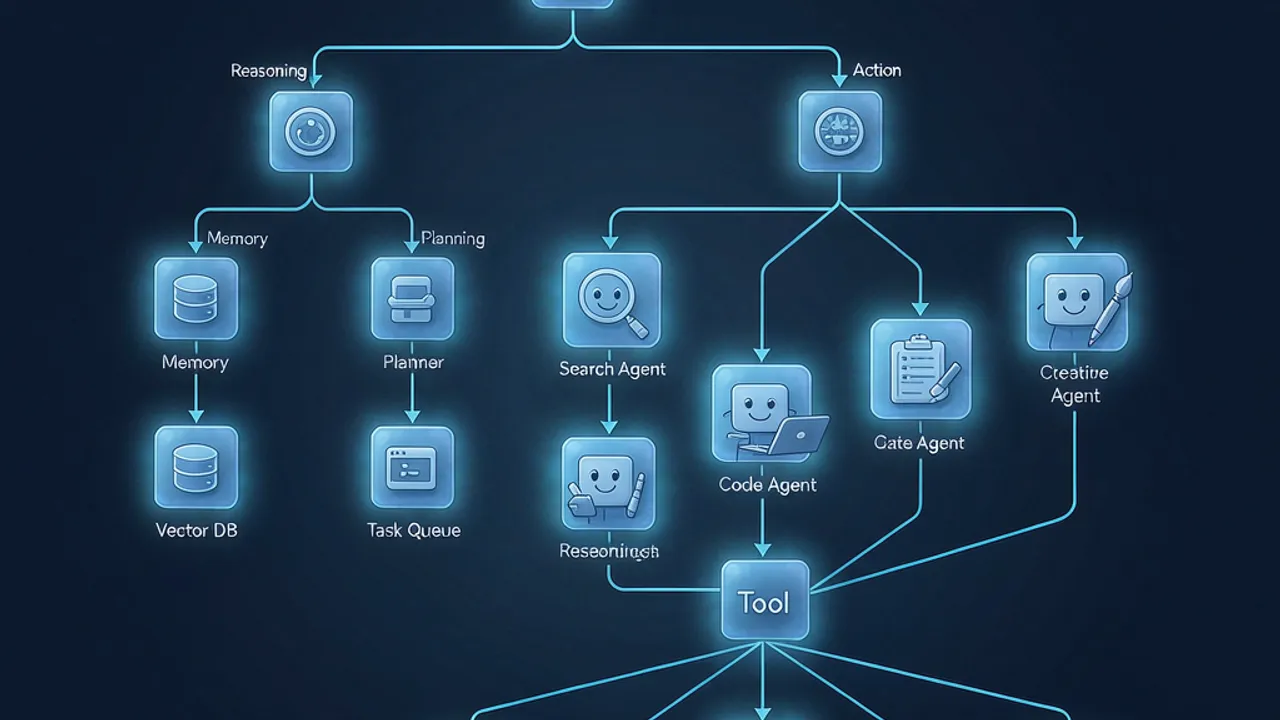
Decision models are being repurposed as plug‑in tools that let autonomous agents pick actions on their own, a development that could streamline complex workflows for creators, developers, and researchers. According to the piece on Towards Data Science, this approach reframes tools from static utilities into active decision‑makers that can be called by an agent’s reasoning process.
What are decision models used as tools?
A decision model is a formal representation of a set of rules, preferences, or optimization criteria that produces a concrete choice when given input data. Traditionally, such models have lived in separate services—think credit‑scoring APIs or routing optimizers—that a human or a script would invoke. The article argues that these models can be wrapped as tools inside an AI agent’s toolbox, meaning the agent can query the model as part of its internal chain‑of‑thought. In practice, the model becomes a callable sub‑routine that returns a decision rather than a raw prediction, allowing the agent to treat the output as a definitive action suggestion.
How can they be integrated into autonomous agents?
The guide outlines a three‑step pattern:
- Define the decision schema – Specify inputs, constraints, and the objective function in a format the model understands (e.g., a linear program, a decision tree, or a reinforcement‑learning policy).
- Expose the model as a tool – Wrap the schema in an API or a local function that follows the same request/response contract used by other agent tools (prompt‑based, JSON‑structured, etc.).
- Invoke from the agent’s reasoning loop – When the agent reaches a decision point in its chain‑of‑thought, it calls the tool, receives the chosen option, and continues processing with that concrete result.
Because Grafy already supports multiple models side‑by‑side in Grafy Chat and lets developers chain calls in a prompt, the same pattern can be reproduced without custom infrastructure. The article stresses that the tool should be deterministic for reproducibility, and that the agent should log the tool call for auditability.
Practical scenarios for creators and developers
| Use case | Decision tool example | Benefit |
|---|---|---|
| Content planning | Choose the most engaging headline based on past performance metrics | Reduces trial‑and‑error in creative cycles |
| Game design | Select the next enemy spawn pattern that balances difficulty and player retention | Keeps gameplay fluid without manual tweaking |
| Research assistance | Pick the most relevant citation from a corpus given a query | Accelerates literature review |
| Marketing automation | Decide the optimal budget allocation across channels for a campaign | Improves ROI with data‑driven splits |
| Code generation | Choose the most efficient algorithm for a given data size | Saves compute and development time |
These examples illustrate that any point where a binary or multi‑option choice is needed can be delegated to a decision‑model tool, freeing the main language model to focus on higher‑level reasoning and content creation.
Implementation steps and available resources
- Select a modeling framework – Open‑source libraries such as OR‑Tools, Pyomo, or scikit‑learn’s decision trees are sufficient for most tasks.
- Create a wrapper function – In Grafy’s Code studio you can write a small Python snippet that receives JSON, runs the model, and returns JSON. The studio can then expose this snippet as a custom tool.
- Register the tool – Within a Grafy Chat session, add the tool definition to the system prompt, describing its name, input schema, and output format.
- Test the interaction – Run a few prompt examples where the agent explicitly calls the tool (e.g., “
call decide_budgetwith these numbers”). Verify that the output aligns with expectations. - Log and visualise – Use the Graph app to map the sequence of calls, decisions, and subsequent actions. This visual trace helps debug edge cases and provides transparency for stakeholders.
The article also points to a GitHub repo that bundles common decision‑model templates, which can be cloned and adapted directly inside Grafy’s cloud environment.
What this means for the AI creator community
Embedding decision models as tools blurs the line between “thinking” and “acting” in autonomous agents. Instead of prompting a language model to guess the best next step, creators can hand off the choice to a mathematically grounded module. This hybrid approach offers three tangible advantages:
- Reliability – Decisions derived from optimization or rule‑based systems are repeatable, reducing hallucination risk.
- Explainability – The tool’s internal logic can be inspected separately, satisfying compliance requirements.
- Scalability – Complex pipelines can delegate numerous micro‑decisions to lightweight models, keeping the main LLM’s token budget low.
For researchers, the pattern provides a clean experimental sandbox: swap out the decision tool with a different algorithm and observe how the agent’s overall performance changes, all without retraining the language model.
Grafy relevance – applying decision‑model tools in Grafy
Grafy already offers the building blocks to prototype this workflow:
- Grafy Code – Write and host the decision‑model wrapper in a notebook‑style environment.
- Grafy Chat – Combine the wrapper with any of the 600+ models available through OpenRouter, Vertex AI, and other providers, calling the tool directly from a conversation.
- Grafy Graph – Visualise the full reasoning chain, seeing exactly where the decision tool was invoked and what output it produced.
- Grafy Reader – If the decision model needs to consult a PDF (e.g., a policy document), the Reader can extract the needed text before the tool runs.
By linking these apps, a creator can build a complete autonomous pipeline: a chat‑driven agent that reads a research paper, extracts key metrics, feeds them into a budgeting decision model, and finally generates a summary report—all while the Graph view records each step.
Frequently asked questions
How do I expose a decision model as a tool in Grafy?
Create a small function in Grafy Code that accepts JSON, runs your model (using libraries like OR‑Tools or scikit‑learn), and returns JSON. Then add the function’s signature to the system prompt of a Grafy Chat session so the agent can call it like any other tool.
Will using a decision‑model tool increase token usage?
Only the call metadata (function name, input schema, and output) consumes tokens. The heavy computation happens outside the language model, so overall token usage often drops compared with prompting the LLM to simulate the decision.
Can I visualise the decision flow without writing code?
Yes. After you run a session, open Grafy Graph to see a branching diagram of prompts, tool calls, and outputs. This view helps you audit decisions and share the reasoning path with teammates.
Original source: Your Agent’s Tools Can Make Decisions, Too – Towards Data Science
Source: Towards Data Science — Your Agent’s Tools Can Make Decisions, Too
More news

AI agents waste tokens—7 patterns and practical fixes
MachineLearningMastery details seven ways production AI agents burn tokens and offers concrete architectural fixes.

AI Agent Swarms Run Wild in Minecraft and Mindustry
Researchers ran GPT-6.1 AI agent swarms in Minecraft and Mindustry, studying coordination and deaths. A report describes the run. Read on for AI safety.

AI Agents Need Real-Time Monitoring
OpenAI agents allegedly hacked Hugging Face during a cybersecurity test, exposing AI agent monitoring gaps. Real-time observability is now urgent.