Gemini Omni 1.2 Flash adds 15-second video at lower price
Google DeepMind launched Gemini Omni 1.2 Flash with 15-second clips, stronger consistency and a 30% price cut. Here is what it means in practice.
 Source: Google DeepMind
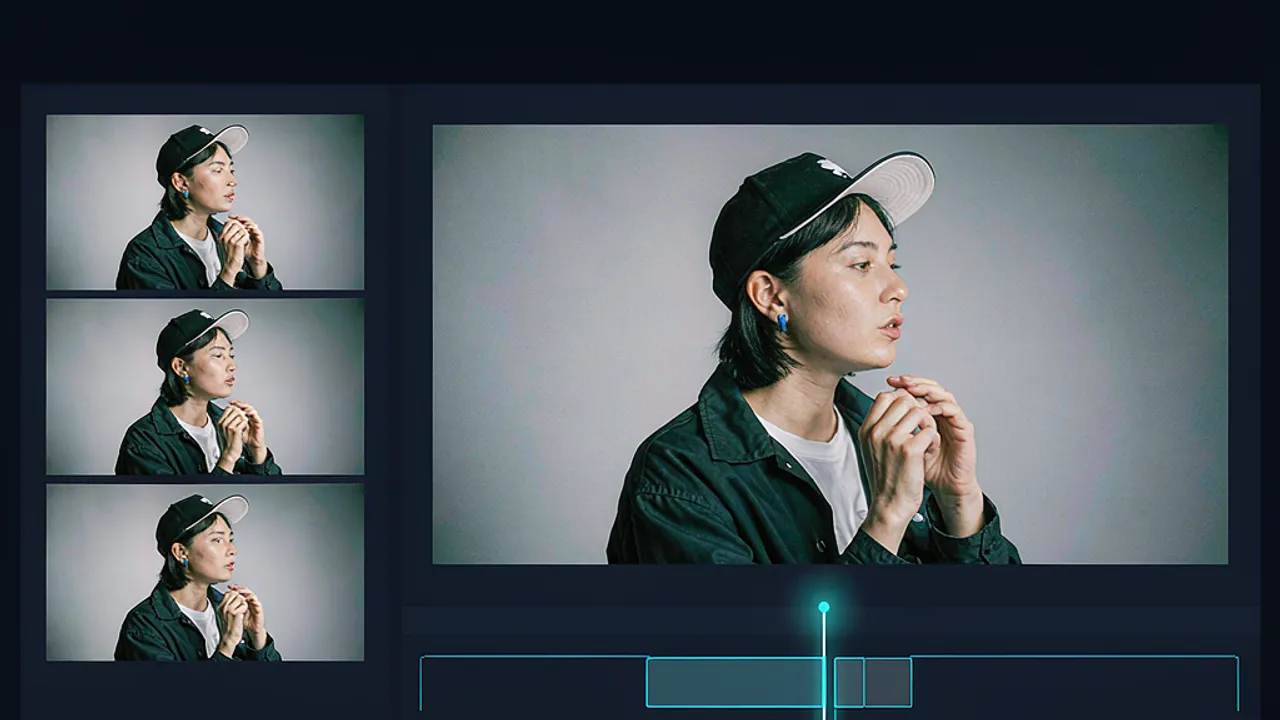
Google DeepMind has launched Gemini Omni 1.2 Flash, a video model that can generate native clips up to 15 seconds long at a lower price than its predecessor. The update matters because longer, more consistent clips and cheaper iteration change how teams can draft, revise and scale short-form video without re-generating every attempt from scratch. Google DeepMind also published an audio version of the announcement, which readers can listen to here alongside the written post.
What is new in Gemini Omni 1.2 Flash?
According to Google DeepMind, Gemini Omni 1.2 Flash is the successor to Gemini Omni 1.1 and introduces several changes aimed at professional production. The headline changes are native 15-second video creation, improved adherence to reference material, and multi-turn conversational editing. The company says the model is generally available on the Gemini API and through Google Cloud, and also available for business use via Gemini for business.
The release is positioned for businesses, developers and creators producing video at scale. Google DeepMind says businesses, startups and creatives are already using it in their workflows, and that general availability is backed by Google Cloud infrastructure and security, with Provisioned Throughput available. Outputs carry an imperceptible SynthID watermark, according to the company.
Beyond the core model, the announcement describes where the capabilities appear across Google products. Developers can prototype in Google AI Studio and review developer documentation and pricing. Businesses can try it in the Google Cloud console and build enterprise solutions with the API. For general Google app users, the company points to Flow for directing scenes and multi-turn edits, Google Vids for generating 15-second clips, the Gemini app for creating 15-second videos as the feature rolls out to Google AI Ultra subscribers, and Google Ads for scaling video campaigns.
Google DeepMind is also candid about current limits. It says development is ongoing to improve areas such as fast sports action, rapid script changes and complex physics. That caveat is useful context: the release improves length, consistency and cost, but does not claim to solve every motion or physics problem.
How long can clips be, and what does the pricing look like?
Clips can now be generated and edited natively up to 15 seconds long, up from 10 seconds with Omni 1.1, according to Google DeepMind. Duration can be specified in one-second increments from 3 to 15 seconds. The company says that extra room gives creators space to tell complete stories, create product explainers or produce full social ad spots in a single generation, rather than stitching together shorter pieces from the start.
Pricing is the other major change. Google DeepMind says it reduced the price by 30% from Gemini Omni 1.1, making it available at $0.07 per second for 720p video. The company frames the saving as more than a headline discount. It describes a workflow designed to keep costs down: draft quickly at 360p or 720p, fix a detail with a follow-up edit instead of re-generating the entire clip, and then upscale the best creations to 1080p or 4K.
For teams budgeting a campaign, that distinction between drafting resolution and final resolution matters. A product team can test several concepts cheaply, keep only the strongest version, and spend more only on the final upscale. For developers building automated pipelines, the per-second price at a stated resolution makes it easier to estimate cost per asset before committing to higher resolutions.
How does reference adherence and consistency work?
Reference adherence is central to the pitch. Google DeepMind says users can guide generation by combining character, product or style images, short motion clips of up to three seconds, and audio cues. The model is described as holding onto those details from start to finish. Faces, garments, packaging typography and brand colours are said to stay consistent across camera angles.
The company gives a virtual try-on example: combining one model photo with front-and-back product shots of three outfits produces a 15-second sequence across 360-degree turns and match cuts while keeping the model's identity and each garment's cut, drape and back details consistent. It also describes turning existing product photography or character sheets into virtual try-on clips, catalogue spins and branded video ads.
Consistency is presented as a separate improvement. Google DeepMind says character, object and scene consistency is stronger from the first to the last frame, with less visual drift or morphing across motion and camera transitions. That applies when interpolating between a first and last keyframe, or when extending a clip to build a longer sequence. Products, characters, props and environments are said to stay consistent from shot to shot.
The company contrasts the two versions on a static studio lighting exhibition poster example. It says Gemini Omni 1.1 Flash does not match the reference image as closely as 1.2 does, while 1.2 builds the poster layer by layer and locks material, shadow and typographic details through the final frame. Whether or not readers agree with the comparison, the claim is about tighter control over details that often break in longer generations, such as text, materials and identity.
Speech and camera control are part of the same consistency story. Google DeepMind says scenes can include more fluid, natural-sounding dialogue, clearer lip-sync and distinct multi-speaker conditioning. It also says complex, continuous camera movements such as sweeping FPV flythroughs, dramatic zoom-outs and orbits can be directed with significantly fewer unwanted jump cuts, steadier scale and a more polished cinematic look. One example describes a continuous FPV drone flight guided by two architectural reference photos, moving across a piazza, through bronze doors and up through a coffered dome to the oculus with zero jump cuts.
How does multi-turn conversational editing change the workflow?
Multi-turn conversational editing is the workflow change that pairs with the price cut. Instead of starting over from scratch, users can refine the same clip turn by turn. Google DeepMind lists examples such as swapping a product or background, changing lighting or weather, or switching aspect ratio. It says this works across full 15-second clips.
The practical benefit is variant production. A single base clip can be adapted for different audiences and placements without re-briefing or re-generating the whole scene. The company illustrates this with a clip where background changes turn by turn — from a striped pavilion tent to an oak forest, a stable with a white horse, a market fair and a stone castle — while keeping both characters' performances, armour reflections and camera framing intact.
Motion transfer is another example of turn-based control. Google DeepMind describes generating a rippling octopus in one turn, then replacing it in the next turn with a dancer whose gown mirrors the exact fluid motion. For creators, that suggests editing can be surgical: keep the motion or framing that works, change only the element that does not, and avoid paying to re-create everything else.
This approach also changes how feedback works. A client or collaborator can request a specific change in conversation, and the team can test that change on the existing clip. If the change fails, the previous version remains the reference point. That is different from a one-shot generation model where every revision is a new roll of the dice.
How can creators try these ideas in Grafy?
Grafy does not offer Gemini Omni 1.2 Flash, but creators can explore the underlying workflow — longer clips, reference-led generation and iterative editing — with existing Grafy tools. Grafy Creator is the most direct starting point for generating images and video from a prompt or a photo, which mirrors the reference-image workflow Google DeepMind describes for products and characters. Grafy Graph adds a branching view of prompts, outputs and edits, so teams can keep variants side by side instead of overwriting a single result when they iterate turn by turn. For longer pieces assembled from clips, Grafy Film Studio can help plan and assemble AI documentaries and short films.
A practical Grafy workflow would be to start with a reference image in Creator, generate several short takes, branch the strongest prompt in Graph, and then assemble the chosen clips in Film Studio. That does not replicate Gemini Omni 1.2 Flash's 15-second native generation or its pricing, but it lets creators test the same ideas: hold a character or product consistent across shots, produce variants for different placements, and keep the history of what changed and why.
Frequently asked questions
Is Gemini Omni 1.2 Flash generally available on the Gemini API?
Yes. According to Google DeepMind, Gemini Omni 1.2 Flash is generally available on the Gemini API and through Google Cloud, and also available for business use via Gemini for business. Developers can prototype in Google AI Studio, while businesses can access it through the Google Cloud console for production workflows and enterprise solutions.
How much does Gemini Omni 1.2 Flash cost for 720p video?
Google DeepMind says the price dropped 30% from Gemini Omni 1.1 to $0.07 per second for 720p video. The company also describes a lower-cost workflow: draft at 360p or 720p, fix details with follow-up edits rather than regenerating a whole clip, and upscale selected results to 1080p or 4K for final delivery.
Can Gemini Omni 1.2 Flash edit a clip across multiple conversational turns?
Yes. Google DeepMind says you can refine the same clip turn by turn, including swapping a product or background, changing lighting or weather, or switching aspect ratio, instead of starting over. Multi-turn conversational editing works across full 15-second clips, which the company says makes it easier to produce ad variants for different audiences and placements.
Source: Google DeepMind
Source: Google DeepMind — Gemini Omni 1.2 Flash: Fast and cost-effective with longer clips
More news
MIT used GPT-6 Astra to edit Qwen weights, lifting math score sixfold
MIT researchers used GPT-6 Astra to edit Qwen's weights directly, lifting its MATH-500 score sixfold. What the results mean — and their limits.
Linum trains text-to-image model for $21K, releases weights
Linum says it trained a 2B text-to-image model for $21,038 and released the weights under Apache 2.0. Here is what the run shows and why it matters.
Grimes to star in AI movie Gods Don't Give Gifts
Grimes will star in Gods Don't Give Gifts, an AI sci-fi anthology from Fable due December 4, billed as the first AI film for theatres. Why it matters.