OpenAI Details New Frontier AI Risk Management Framework
OpenAI outlines how it handles frontier AI risk from training to deployment with alignment.
 Source: OpenAI News
OpenAI released a detailed description of its approach to managing frontier AI risk, covering the full life‑cycle from training through deployment. The announcement matters because the same safety techniques can inform how creators, developers, and researchers build and ship AI‑powered products.
What OpenAI announced about frontier AI risk management?
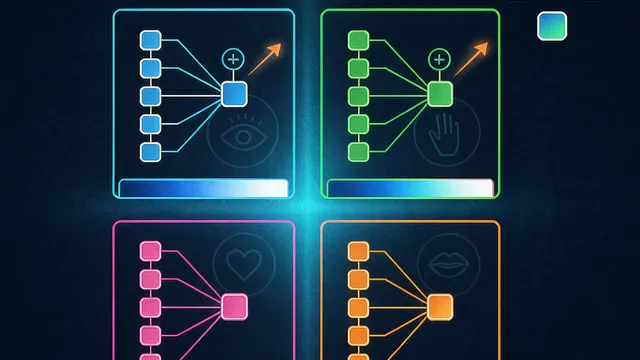
OpenAI said it now follows a structured risk‑management pipeline that starts with model alignment during training, moves to sandboxed testing, applies blocking safeguards before public release, and continues with real‑time monitoring once the model is deployed. The company presented the four pillars—alignment, sandboxing, safeguards, and monitoring—as a continuous loop that helps catch unsafe behavior early and keep it in check after launch. According to OpenAI News, the framework is meant to address the heightened uncertainty that comes with frontier‑scale models.
How does model alignment work in practice?
Model alignment, as described by OpenAI, involves shaping a model’s objectives so that its outputs stay consistent with human intent and ethical standards. In practice this means training the model on curated datasets, using reinforcement learning from human feedback (RLHF), and iterating on loss functions that penalise harmful or misleading responses. OpenAI emphasizes that alignment is not a one‑off step; it is revisited whenever new data or use‑cases emerge, ensuring the model’s behaviour evolves safely alongside its capabilities.
What are sandboxing and blocking safeguards?
Sandboxing refers to isolating a newly trained model in a controlled environment where developers can probe edge‑case behaviour without exposing the broader user base. OpenAI runs extensive automated and manual tests inside these sandboxes, looking for unintended generation of disallowed content. Blocking safeguards are the final gate‑keeping mechanisms that automatically reject or filter outputs that cross predefined safety thresholds. The safeguards are applied both at the API layer and within downstream applications, providing a defensive line before any output reaches end users.
How does ongoing monitoring help keep deployed models safe?
Once a model is live, OpenAI continuously monitors usage signals such as request patterns, user feedback, and automated toxicity scores. The monitoring system flags anomalous spikes or emergent failure modes, prompting rapid rollback or additional fine‑tuning. OpenAI also shares aggregated safety metrics with its research community to foster transparency. This post‑deployment vigilance is designed to catch risks that only surface under real‑world load.
How creators and developers can apply these ideas with Grafy
Grafy users can adopt OpenAI’s risk framework without needing proprietary tools. The Grafy Chat app lets creators experiment with multiple models side‑by‑side, making it easy to compare alignment behaviours before choosing a production model. For teams that need to audit prompt‑output chains, the Graph app records each iteration, providing a visual sandbox that mirrors OpenAI’s testing environment. Researchers reviewing safety papers can load PDFs into Reader and ask targeted questions about alignment techniques, while Operator can automate the retrieval of the latest OpenAI safety guidelines. By integrating these Grafy apps into their workflow, creators can embed alignment checks, sandbox trials, and monitoring hooks early in the development cycle.
Frequently asked questions
Does OpenAI’s risk framework cover all types of AI models?
OpenAI’s description focuses on frontier language models, but the same principles—alignment, sandboxing, safeguards, and monitoring—are applicable to vision, multimodal, and reinforcement‑learning systems as well.
Can Grafy users replicate OpenAI’s sandboxing process?
Yes. Using the Graph app, users can create isolated prompt trees, run automated test suites, and review outputs before moving a model into a public‑facing Grafy Chat deployment.
How does ongoing monitoring differ from initial testing?
Initial testing occurs in a sandbox before release, while ongoing monitoring watches live traffic for emergent issues, allowing teams to react to problems that only appear under real user load.
Source: OpenAI News — Managing frontier AI risk: From training to deployment
More news

OpenAI unveils GPT‑6 Astra for AI‑assisted chip design
OpenAI announced that its GPT‑6 Astra model can optimize circuits for Jalapeño silicon and improve RISC‑V cores.

FlashAttention beats kernelized attention; LARA++ closes quality gap
A NeurIPS‑2026 paper benchmarks kernelized attention against FlashAttention, showing lower memory use and faster training.
OmniDebias introduces bias‑centric fairness for omni‑modal LLMs
Researchers unveil OmniDebias, a bias‑centric method that unifies fairness across attributes and modalities in omni‑modal large language models.